Know when Claude Code is running.

One Claude Code hook, four outputs: your RGB mouse changes color, a toast pops, your phone and watch buzz, and a local dashboard keeps score. No cloud. No account.

Windows Β· Python Β· MIT license

Running
Claude is working β€” go get coffee
Claude Code
Running a tool…
● yellow = running ● red = needs you ● green = done ● blue = ready

Four outputs

Pick your signal. Or run all four.

Every output can be toggled independently β€” from the dashboard settings page or an environment variable. Each one fails silently, so a dead mouse or closed browser never blocks Claude.

Ambient

RGB mouse

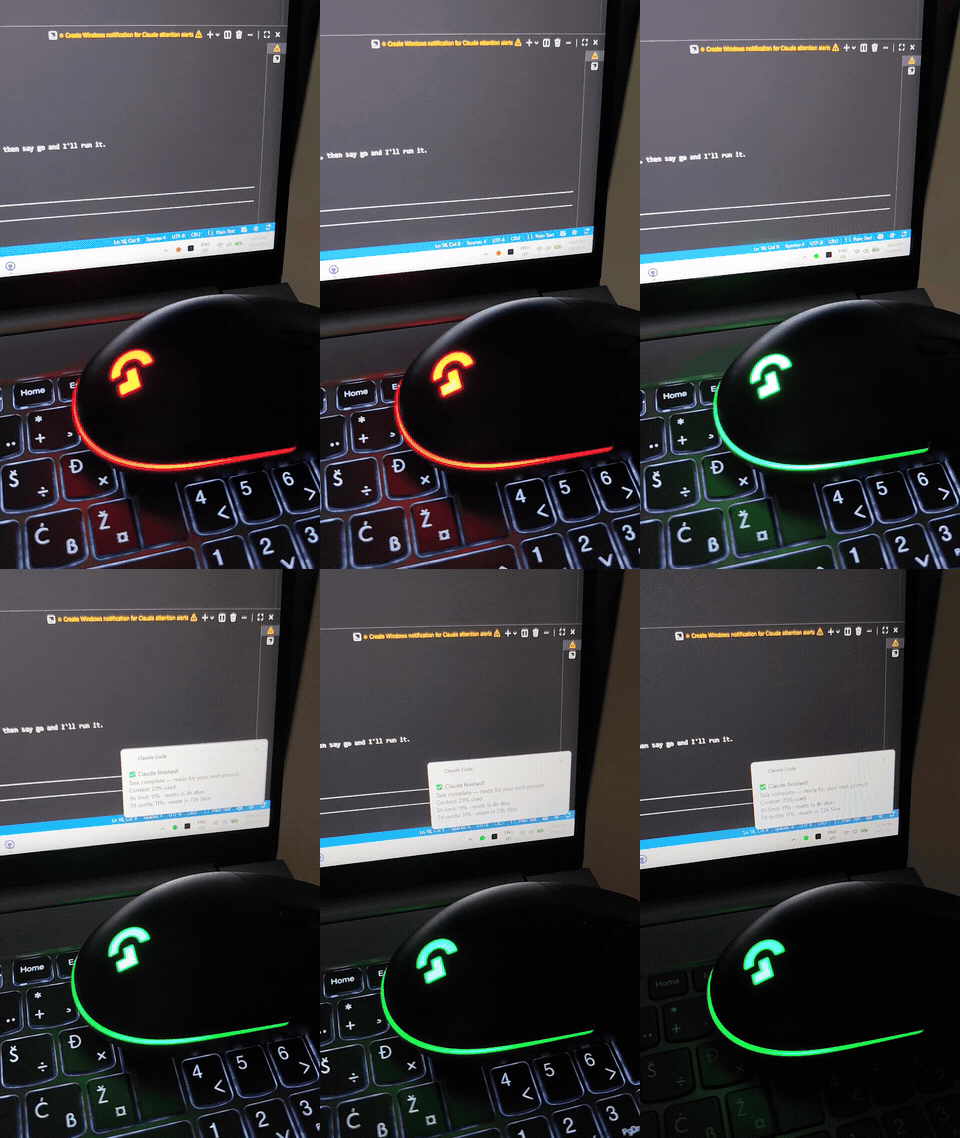
Your Logitech G102 shifts color with every state β€” via raw USB HID, no G HUB needed. Peripheral vision does the rest.

Local

Live dashboard

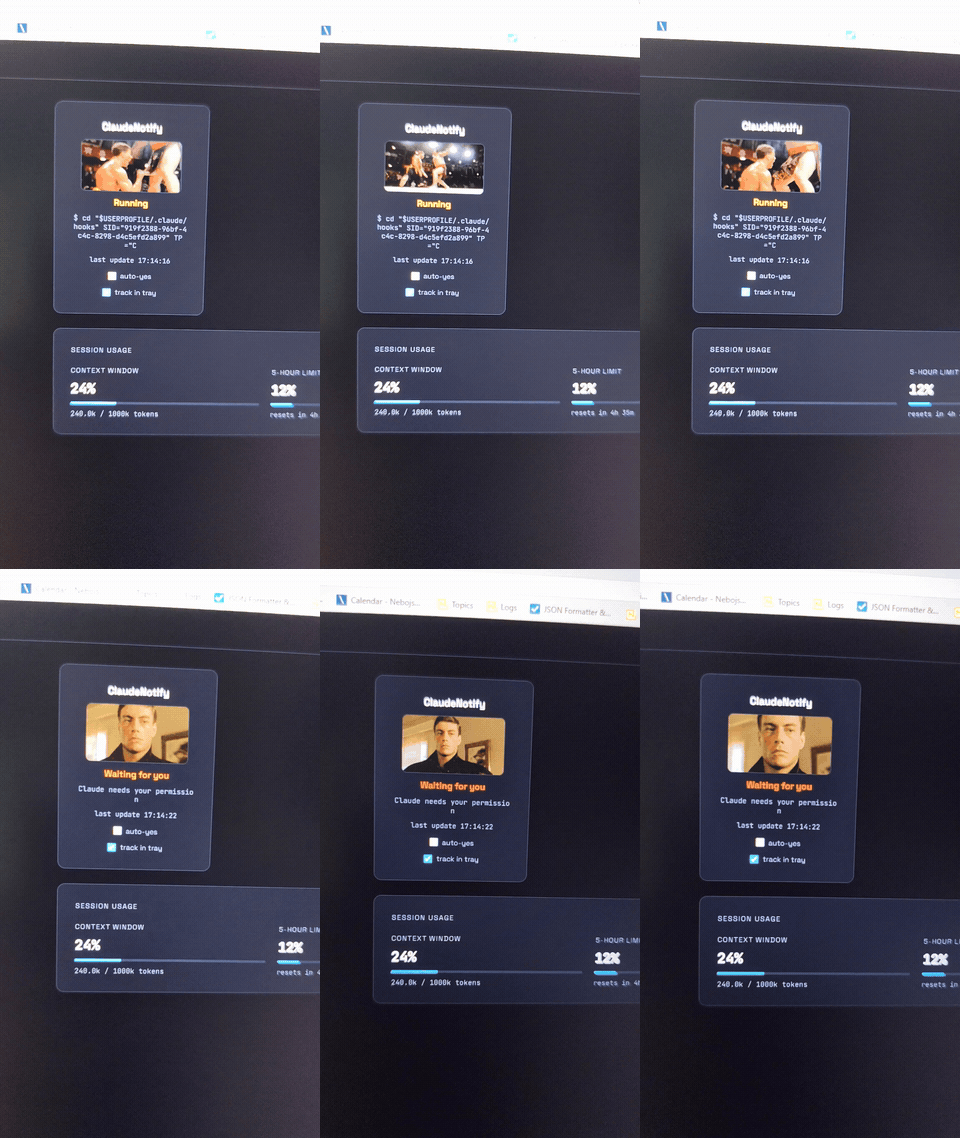
FastAPI + SSE on localhost. Session state, context %, usage limits β€” and a Jean-Claude Van Damme status indicator.

Away from desk

Phone + watch

Push via open-source ntfy.sh, mirrored to your smartwatch. Fires only when Claude actually needs you.

Native

Windows toast

A clean native popup on waiting and done β€” with context and quota stats appended to every finish.

The dashboard

Jean-Claude Van Damme tells you how it's going.

Every state has a face. The dashboard ships with JCVD reacting to your session β€” doing the splits while Claude runs, staring impatiently when it needs you, thumbs up when it's done. Don't like it? Paste any GIF URL per state in settings and make it yours.

ClaudeNotify
JCVD Β· doing the splits
Running
Tool: PowerShell
jean-claude van damme status indicator
Running https:// …
Waiting for you https:// …
Done β€” your turn https:// …
Ready https:// …

Blank reverts to the default JCVD gif. Saved to config, takes effect on the next hook event β€” no restart.

Demo: Logitech G102 mouse changing from red to green as Claude Code finishes a task
the mouse, changing its mind
Demo: the live dashboard switching from Running to Waiting-for-you, with the JCVD status indicator
the dashboard, live

How it works

One hook fans out to everything.

Claude Code lifecycle events pipe into a single entrypoint that fires all outputs in parallel threads. Claude Code never blocks on the hook β€” it fires async. Total added latency to your session: none.

Claude Code lifecycle event
        β”‚
        β–Ό
  hooks in settings.json
        β”‚
        β–Ό
  notify.py <EventName>
        β”‚
        β”œβ”€β”€ ntfy.sh ──────────► πŸ“± phone β–Ί ⌚ watch
        β”œβ”€β”€ USB HID ──────────► πŸ–±οΈ G102 RGB
        β”œβ”€β”€ localhost:8765 ───► 🌐 dashboard (SSE)
        └── Windows API ──────► πŸ”” toast popup

Quick start

Running in about 10 minutes.

1

Clone the repo

git clone https://github.com/bojnesh/ClaudeNotify
2

Run setup with your own channel name

Installs Python deps, copies scripts to ~/.claude/, merges hook config.

.\setup.ps1 -Channel "claude-yourname-xk7q2"
3

Subscribe on your phone, restart Claude Code

Install the free ntfy app, subscribe to your channel, restart Claude Code β€” hooks load on session start. Done.

Stop alt-tabbing to check.

Open source, MIT licensed. Fork it, theme it, ship it.

View on GitHub β†—